Most trading tools are a website: pages you navigate one at a time, a fixed set of features, and a server somewhere holding your keys. KryllOS is a desktop environment instead. You open windows together, you install and remove apps, and everything runs on hardware you control.
- Interface
- Multi-window desktop
- Runs on
- Your machine or your VPS
- Install
- 1-click VPS deploy
- Custody
- None, ever
- Markets
- Spot + Futures
- Source
- Public and auditable
What changes when it stops being a website
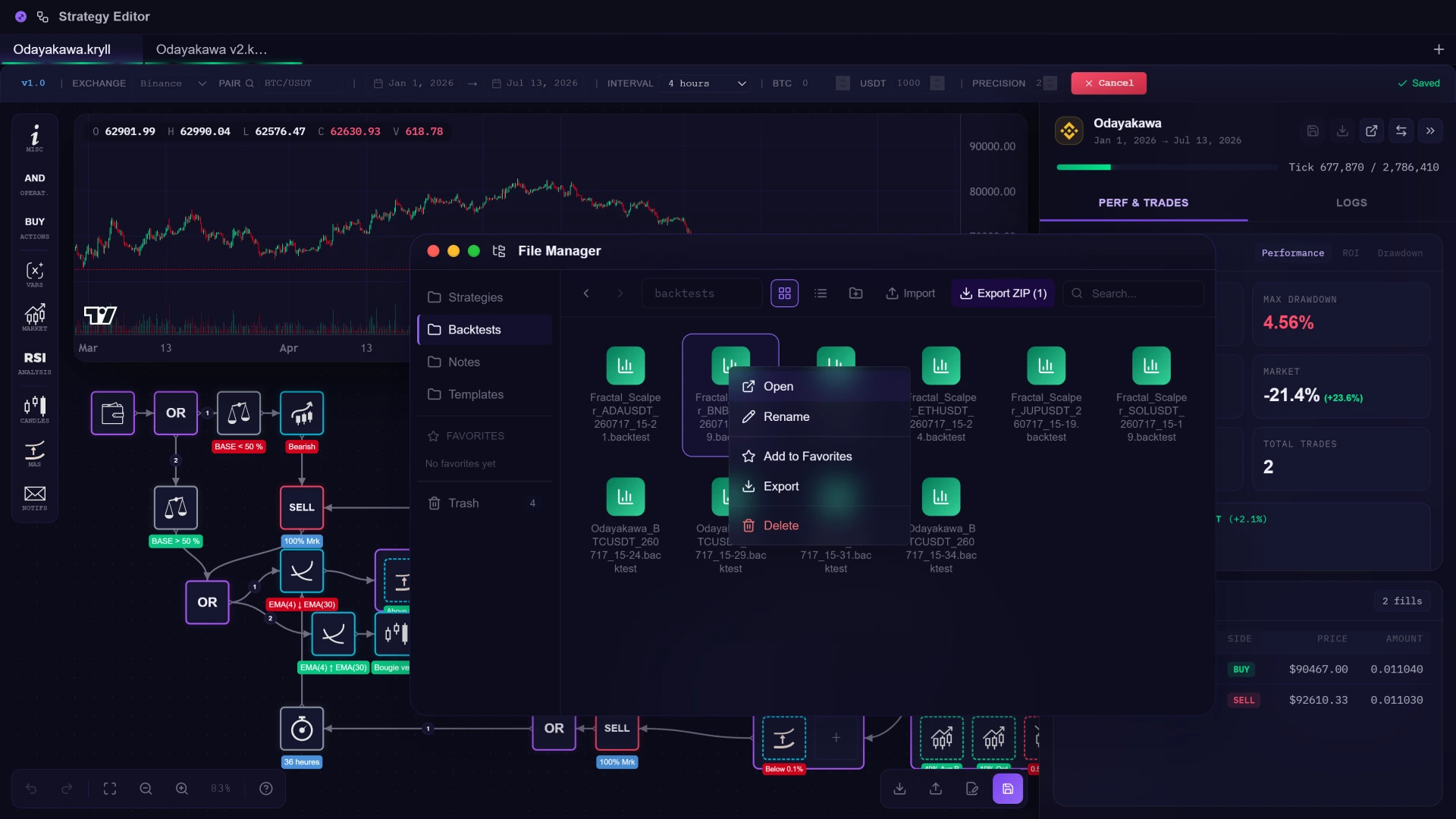
- One page at a timeWindows, side by sideThe editor, a backtest, the file manager and your wallet stay open at once. You arrange them once and the workspace is yours.
- A fixed feature setApps you installWhat KryllOS can do is what you have installed in it. Blocks, strategies and applications all come from the same store, and all of them uninstall.
- Your keys on a serverYour keys on your diskExchange API keys are stored on the machine that runs the strategies. Nothing about them is transmitted to Kryll, because there is no Kryll server in the path.
- Spot here, futures thereOne canvas for bothBuy and Sell sit in the same graph as Long, Short and Close. A strategy can span both markets without leaving the workspace.
The windows that open today
KryllOS ships with its own applications. Each one is a window: open it, move it, keep it open next to the others. This is the list as it stands. What is still in development is on the status board, not in this dock.
One store, four kinds of thing
Installing replaces configuring. There is no settings page listing every feature Kryll could have. There is a store, and you take what you need out of it.
- BlocksThe native building blocks of the editor. They ship with the app.
- Custom blocksBlocks written by the community, or by you. Once installed they behave like native ones.
- StrategiesComplete bots, ready to run or ready to take apart and edit.
- ApplicationsTools that add windows to the desktop and extend what the OS can do.
The marketplace itself is still in development. The store is the mechanism; what fills it comes next.
It runs where you put it
KryllOS installs on your computer, or on a VPS you rent, in one click. On a VPS your strategies keep running with your laptop shut, and it is still your machine, your keys and your data. Kryll never holds funds, because Kryll is not in the loop at all.
- Exchange API keys stay on the machine that trades.
- Trading history and performance data stay with them.
- No cloud service to depend on, and none to be locked out of.
- The source is public: what the app does is checkable, not promised.
- 14:02EMA(4) ↑ EMA(30), condition met
- 14:02Limit buy 50% placed
- 14:06Filled, waiting 36h
- 13:40Weekly window opened
- 13:40Market buy 10% placed
- 13:41Filled, next in 7d
- 13:12Trend flipped bearish
- 13:12Short opened ×2
- 14:05Trailing stop armed
Three ways to add what is missing
A block that does not exist yet is a block you can add. The three routes end in the same place: a block in your library, usable like any other, including inside AND and OR.
The rest of the system
- Drag-and-Drop EditorCompose a strategy from blocks, wire them up, read the result out loud.
- Backtest EngineReplay a strategy against real market history, order by order.
- MarketplaceInstall what the community published, or publish and get paid.Soon
- Kryll AIDescribe a strategy, get blocks. Then have them audited.Soon
- KRL TokenThe currency of the store, and where a share of every sale goes.
Install the desktop.
KryllOS is free, open source, and runs on your machine. Connect an exchange with a read-and-trade key, and the key stays where you put it.
Trading crypto-assets carries a risk of losing your capital.